
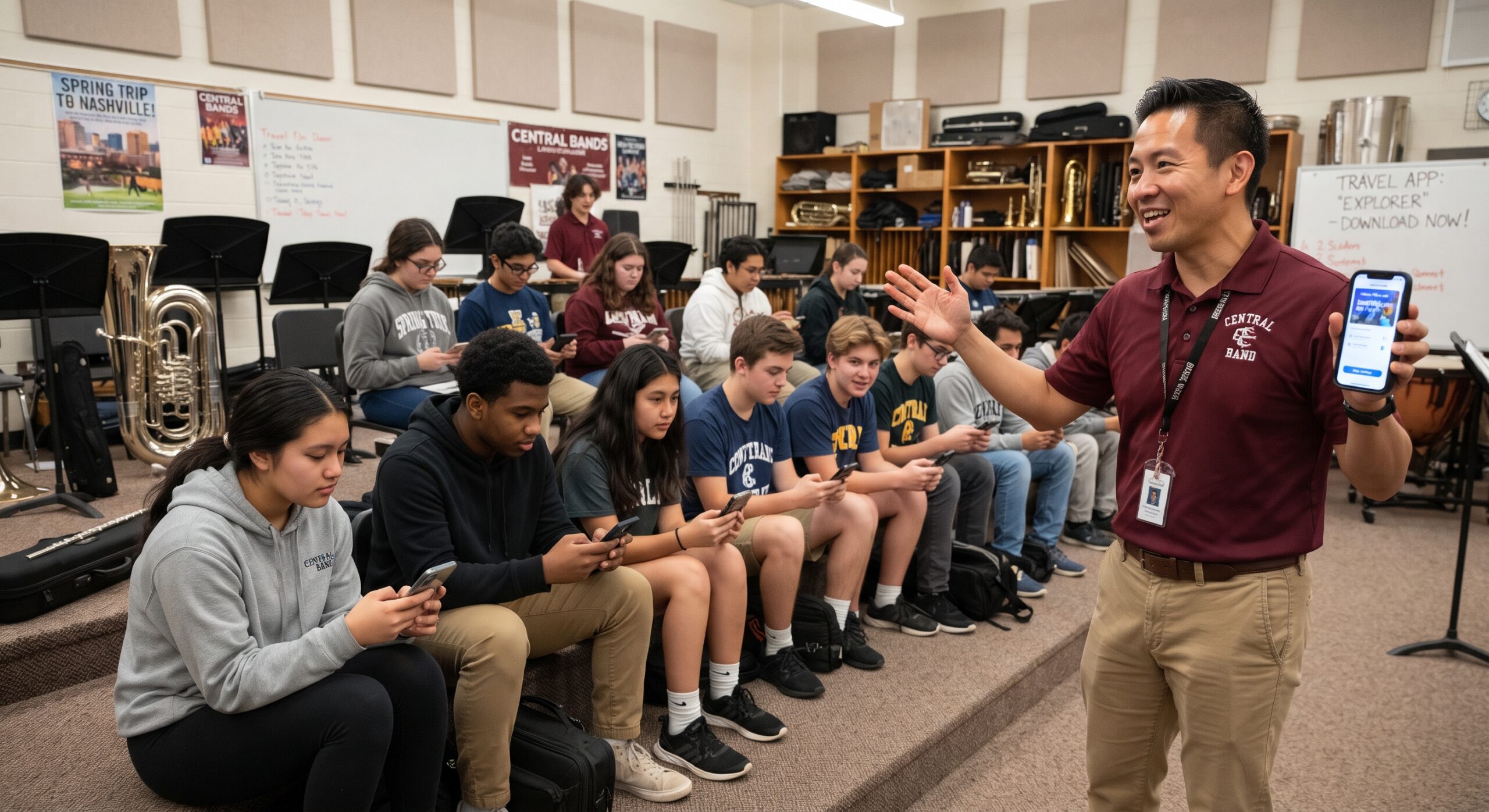

Taking students on a trip is one of the best parts of teaching, until you are standing in the middle of a crowded museum trying to round up fifty teenagers before the bus leaves. Between last-minute itinerary shifts, splitting into chaperone groups, and managing strict school district privacy policies, shouting over a crowd simply does not work.
You need a reliable way to send instant updates without handing out your personal cell phone number—or asking students to share theirs.
Whether you are leading a local day trip or an overnight tour, these six communication apps keep student groups connected, organized, and safe from departure to drop-off.
1. Remind
Best for: Instant, privacy-first text alerts without app downloads.
Since Remind is already a staple in most K–12 classrooms, it is one of the easiest tools to roll out for a trip. Students and parents likely already have it set up, allowing you to send one-way announcements or enable two-way messaging while keeping everyone’s personal phone numbers completely hidden.
-
Why teachers love it: Students do not even need a smartphone or a data plan—messages go straight through via standard SMS text. Delivery receipts also let you verify who actually received an urgent “Meet at the bus in 10 minutes” alert.
-
Keep in mind: The free version limits group sizes and file attachments. For massive grade-level trips, you will need to split students into smaller chaperone sub-groups or rely on a school-wide paid plan.
2. BAND
Best for: All-in-one trip hubs (schedules, polls, and photo sharing).
If you need more than a basic text thread, BAND acts like a private, invitation-only hub built specifically for organized groups. It is FERPA-compliant to protect student privacy, and it gives you full administrative control over who can post or comment.
-
Why teachers love it: Instead of answering “Where are we going next?” fifty times, you can pin the daily itinerary to the main board, run quick polls for lunch orders, and track read receipts on mandatory safety announcements. It also features a dedicated photo album so students and chaperones can share trip pictures safely without posting them to public social media.
-
Keep in mind: Every student will need to download the app and create an account before departure day.
3. Chapperone
Best for: Dedicated, end-to-end student travel management.
Unlike general messaging tools, Chapperone was built from the ground up specifically for school travel. It combines group communication with trip logistics, giving teachers, chaperones, students, and parents tailored access to the exact information they need.
-
Why teachers love it: You can message the entire group, specific bus rosters, or individual chaperone teams in seconds. It also houses emergency contact info, live itinerary updates, and optional location check-ins—all without exposing personal phone numbers.
-
Keep in mind: Because it is a specialized travel platform rather than an everyday classroom tool, plan to onboard students and chaperones a week or two before you depart.
4. ParentSquare / StudentSquare
Best for: Districts that require full administrative oversight and parent updates.
If your district already uses ParentSquare, activating StudentSquare for upper-grade or high school travel is a seamless move. It keeps all student-teacher communication automatically archived and compliant with district safeguarding policies.
-
Why teachers love it: You can push real-time updates to students via app, text, or email while simultaneously sending reassurance updates and photos to parents back home—complete with automatic translation in each family’s preferred language.
-
Keep in mind: This requires an active school or district subscription; individual teachers cannot set up a standalone account on their own.
5. GroupMe
Best for: Massive groups and mixed devices (iPhone + Android).
Owned by Microsoft, GroupMe is a free messaging app that eliminates the classic group-chat headache between iPhones and Androids. It supports up to 5,000 members in a single thread and works smoothly across iOS, Android, and web browsers.
-
Why teachers love it: Like Remind, GroupMe includes an SMS fallback feature, meaning students with basic phones or spotty data connections can still receive and reply via regular text. You can also spin up separate sub-chats for specific hotel floors, bus rosters, or chaperone teams.
-
Keep in mind: GroupMe lacks built-in K–12 administrative archiving, and students can see each other’s display names and profiles, so double-check your school’s acceptable-use policy before using it.
6. Google Chat or Microsoft Teams
Best for: Schools strictly locked into Google Workspace or Microsoft 365.
If your district blocks third-party apps on student devices or tightly regulates external messaging, your safest bet is the chat tool already built into your school’s ecosystem.
-
Why teachers love it: Zero onboarding friction. Students log in with their existing school credentials, every message is automatically logged by school IT for liability protection, and you can archive or delete the trip space the moment you return to campus.
-
Keep in mind: Require students to install the mobile app and turn on push notifications before leaving—otherwise, they will not see urgent alerts until they open their laptops back at the hotel.
Quick Comparison: Which App Fits Your Trip?
4 Pro Tips for Trip Communication
-
Do a “test ping” before boarding the bus: Have every student join the group and react to a welcome message while you are still in the school parking lot. Troubleshooting login issues at a busy airport or theme park is a nightmare.
-
Always include a second adult: Never run a student group chat solo. Add at least one co-teacher, chaperone, or administrator to every thread for student safeguarding and personal liability protection.
-
Set clear “quiet hours”: On overnight trips, let students know when non-emergency messaging pauses for the night—and what protocol to follow if they actually have an emergency at 2:00 AM.
-
Create chaperone-only channels: Keep a separate thread just for teachers and parent volunteers so you can coordinate headcounts, lost items, or schedule tweaks behind the scenes without cluttering the main student feed.

